CLIENT SETUP
Connect your clients with CC Switch.
Start without a terminal. Create a key, add LLMRouter as a CC Switch provider, then select a client from the toolbar.
Before you start
- Sign in to LLMRouter and create an API key.
- Install and open CC Switch, then confirm the target client is installed.
Add LLMRouter in CC Switch
- 1
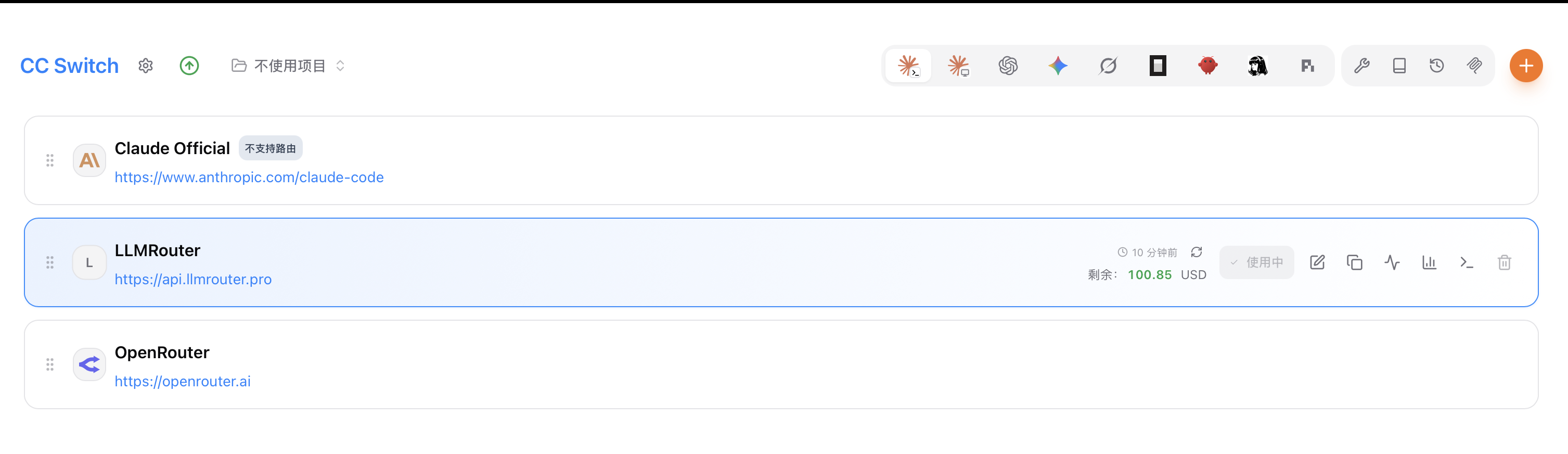
Use the plus button at the top right to add a provider entry.
- 2
Name it LLMRouter, then enter the Base URL and your API key below.
- 3
Select the LLMRouter provider, then switch the tool from the client picker in the toolbar.
Provider name: LLMRouter
Base URL: https://api.llmrouter.pro
API Key: sk-lr-your-key
Field names and support vary by CC Switch version. If OpenAI Compatible is unavailable, check that version’s provider documentation.
Switch clients from the toolbar
Choose the relevant tool from the top icon bar while LLMRouter remains the selected provider.
Use the Anthropic-compatible profile and confirm your model supports Messages, streaming, and tools.
You can also configure these directly with environment variables. See the Agent guide for terminal setup.
Read Agent guide